Always available · Textbook-based
Finally, help for students and parents alike.
Cooler Tutor is an always-on tutor for your high school student looking to jump a full letter grade — this semester.
It helps, plans, tracks, reports, and emails automatically so everyone is tracking and making progress. For less than the cost of one hour with a real tutor on one subject, you get 24 hours a day of unlimited access to up to six subjects.
And the tutoring is based on the very textbook your student is using for the class — not generic information from the web.
No homework mill. The companion refuses to write the paper for you.

Manage Your Study and Test Calendar
- Upload the syllabus and its tests, quizzes, papers and projects go on your calendar after you check them.
- Inserts two 45-minute study sessions before each test (3 days and 1 day ahead).
- Connect Google Calendar: if a new event collides with a study session, you are warned and offered a free slot.
- Auto-adds upcoming events to the to-do list and email updates.
- Plan your success!
Google CalendarNovember 2026
SunMonTueWedThuFriSat
1
2BIO 10–11 · Alg 1:30 · Lunch · Tennis 4–5:30 · Study 6:30–8
3Lunch
4BIO 10–11 · Alg 1:30 · Lunch · Tennis · Study 6:30–8
5History 1–2:30 · Lunch
6BIO study 1h · BIO · Alg · Lunch · Tennis · Study · Football 7pm
7BIO quiz 15m
8BIO study 1h
9BIO quiz 15m · BIO · Alg · Lunch · Tennis · Study
10Lunch
11BIO study 1h · BIO · Alg · Lunch · Tennis · Study
12BIO 101 TEST · BIO quiz 15m · History 1–2:30 · Lunch
13BIO · Alg · Lunch · Tennis · Study · Football 7pm
14
15
16Alg sample test · BIO · Alg · Lunch · Tennis · Study
17Alg sample test · Lunch
18Alg sample test · BIO · Alg · Lunch · Tennis · Study
19ALGEBRA TEST · History 1–2:30 · Lunch
20History paper due · BIO · Alg · Lunch · Tennis · Study · Football 7pm
21
22
23BIO · Alg · Lunch · Tennis · Study
24Lunch
25BIO · Alg · Lunch · Tennis · Study
26History 1–2:30 · Lunch
27BIO · Alg · Lunch · Tennis · Study · Football 7pm
28
29
30BIO · Alg · Lunch · Tennis · Study
Repeating: BIO 101 MWF 10–11, Algebra 101 MWF 1:30–2:30, History 101 Thu 1–2:30, Lunch daily 11:30–12:15, Tennis MWF 4–5:30, Study window MWF 6:30–8.
Enter the study hall and select your subject.
- Focus on one subject at a time.
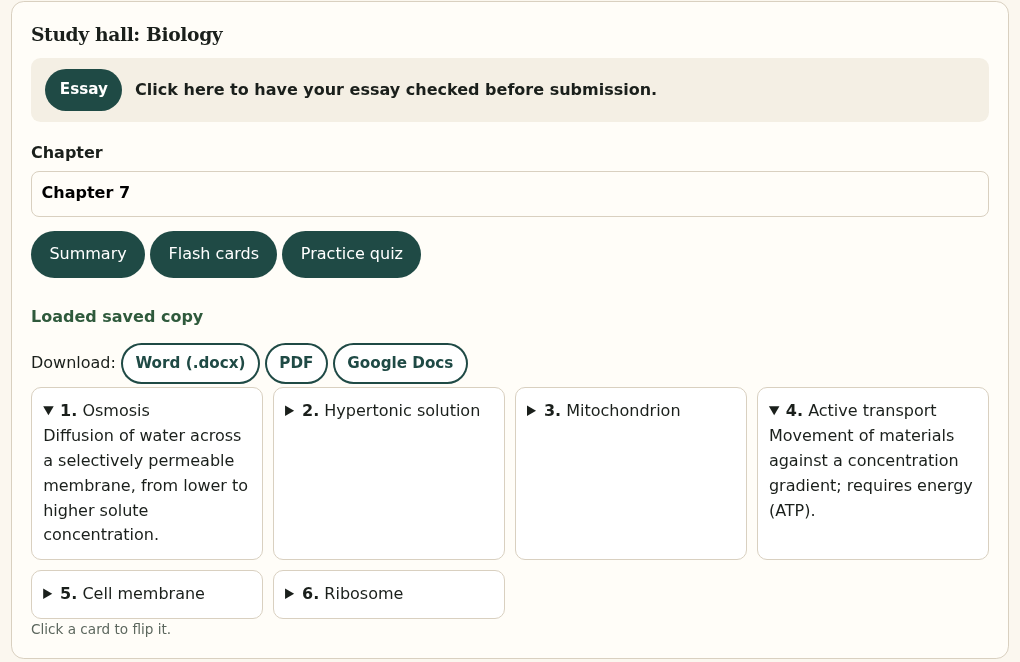
- Generate chapter-by-chapter summaries.
- Create flash cards, quizzes, and sample tests.
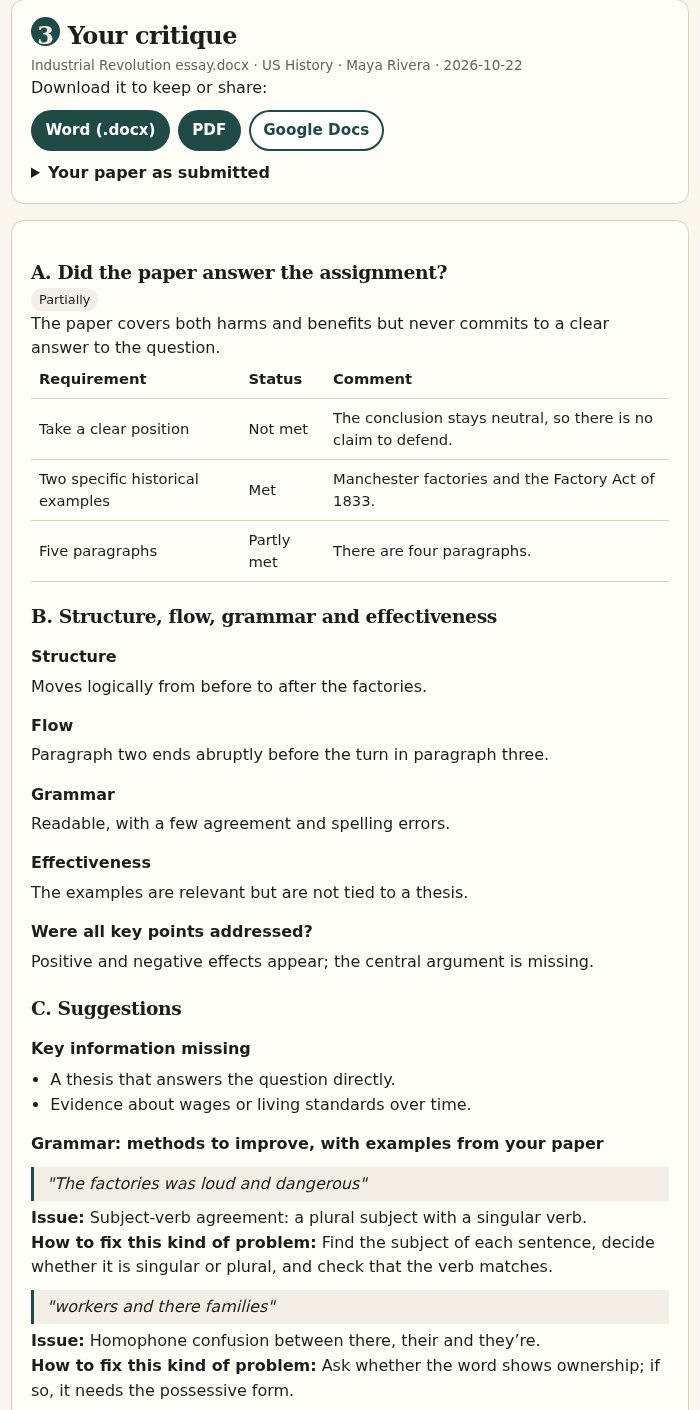
- Get essays critiqued for improvement.
SHELF · 6 SUBJECTS
Grades page
- Each class has its own grade list.
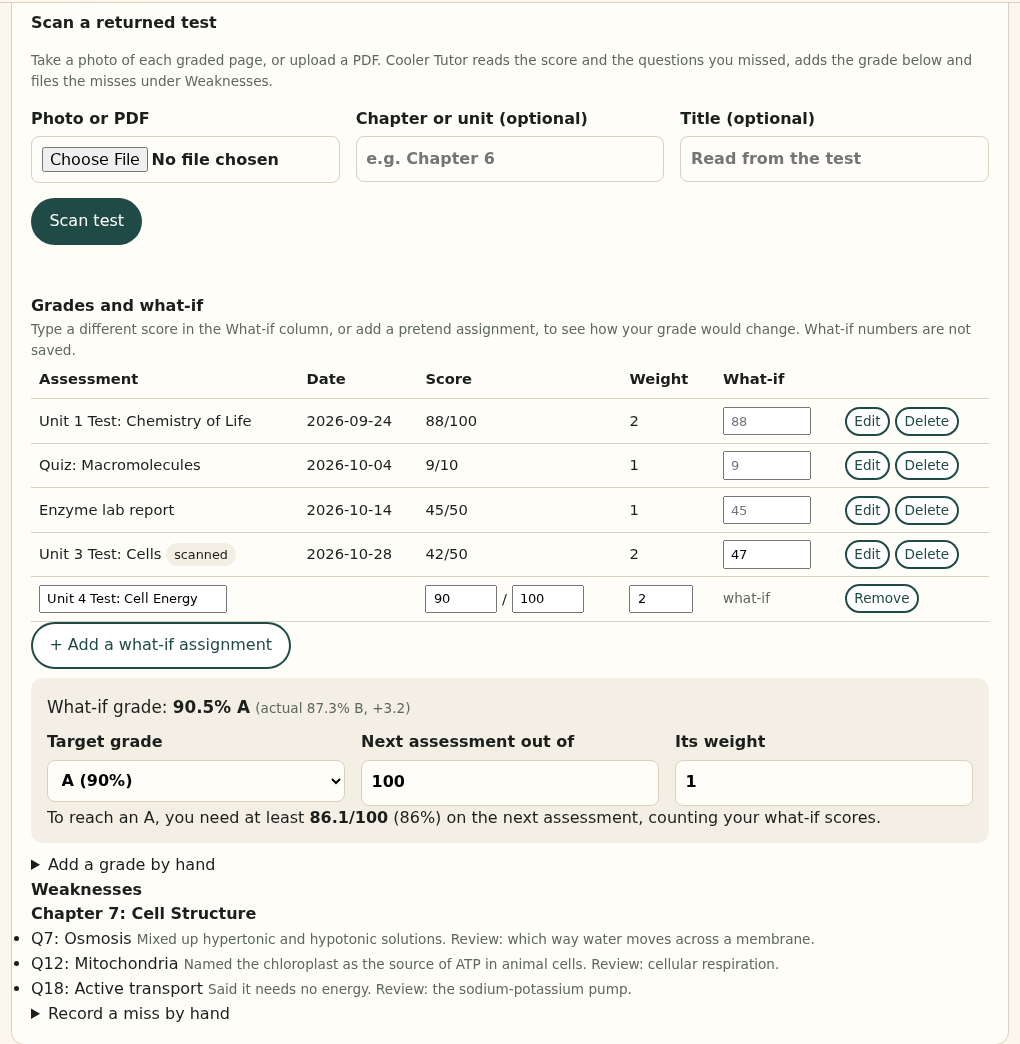
- Scan a returned test.
- Use the Weaknesses button to see every missed answer grouped by chapter.
Class name
No grade yet
| Assessment | Date | Score | Scanned |
|---|---|---|---|
| No assessments yet. Scan a test or add a grade to get started. | |||
Weaknesses for this class
- No misses recorded yet. Scan a returned test to build this list.
A Partnership of Parent and Student
- Parents receive one email each evening.
- Completed items today and this week.
- Open items for the next 7 days.
- Upcoming tests, quizzes, reports, and projects from the syllabus.
Parent dashboard
- Progress only — grades, completed work, and what’s coming.
- This is where Parent login lands.
Student · this weekNo classes added yet
| Class | Grade | Completed this week | Next |
|---|---|---|---|
| Add a class to see progress here. | |||
How the first afternoon should go
Name the six classes
Period, teacher, textbook. Archive one to add another — six subjects, not an infinite hall.
Upload the syllabus
Upload a PDF, Word file or photo, or paste the text. Cooler Tutor lists the dated tests, quizzes, reports and projects for you to check, then adds them to the calendar.
Study sessions appear
Every test gets two 45-minute study sessions, 3 days and 1 day before, placed around anything already on the calendar. Editable any time.
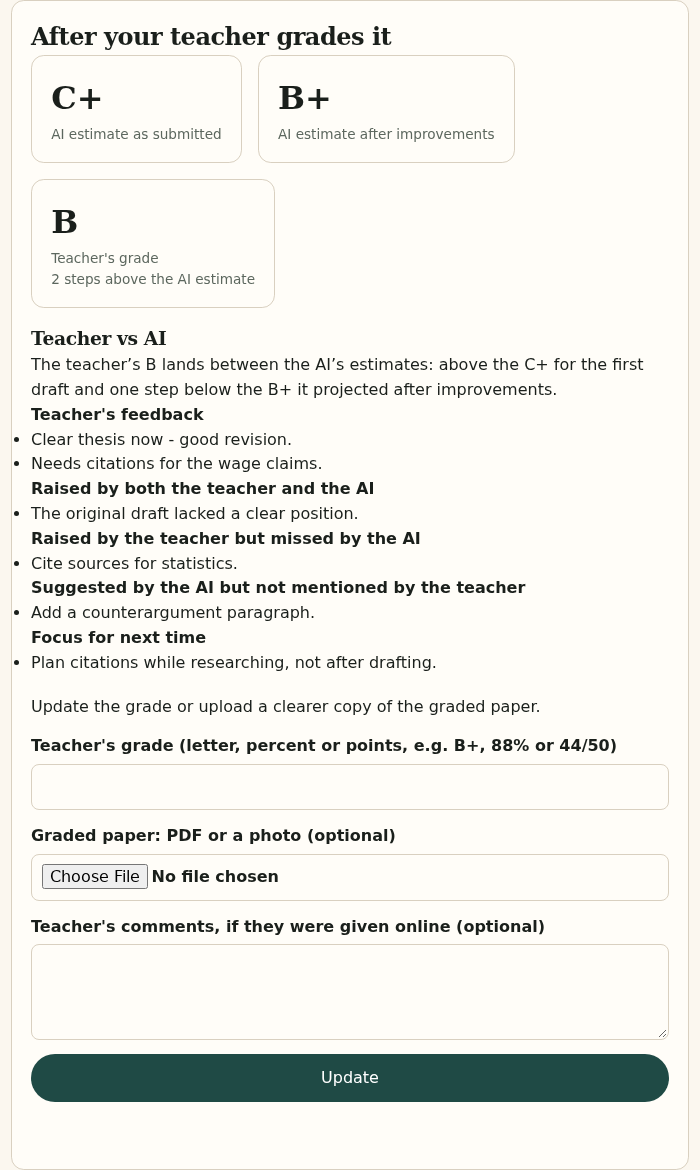
Coach the prompt, then the grade
20-question practice quizzes that step up in difficulty. After a test, scan it and the misses shape your next quiz.
Built around the book, not a chatbot window
Chapter notebook
Catalog lookup, official chapter lists, 500-word briefs, flashcards, and 20-question practice quizzes that step up from Easy to Challenging to Hard — generated once, saved, not re-rolled every visit. Download any of it as Word or PDF.
Syllabus → calendar
Upload the syllabus as a PDF, Word file, photo or Google Docs link. You check the dates it found, then they go on the calendar, and each test gets two 45-minute study sessions placed in free time. Connect Google Calendar to see them on your phone and get a warning when a new event collides with a study session.
Scan tests into the gradebook
Photograph a returned test or quiz. We extract the misses, tag them by topic, and store them against that class. Those misses shape the practice quiz for the same chapter.
Weaknesses button — per class
On every class shelf there is a Weaknesses button. It lists missed answers from scanned tests and practice sets, grouped by chapter, so you know exactly what still needs work before the final.
Weighted gradebook
Tests, quizzes, assignments, projects, group work. What-if scores on the same screen. Attach the scanned test to the grade entry.
Flashcards at your level
Choose Easy, Challenging or Hard before you build a set. Start with the basics, then step up to test-level questions. Each level is saved separately.
Membership
Fourteen days to load six classes and see the plan on the calendar. Cancel anytime. AI calls are part of the membership.
High School
$49/month
- Up to 6 active classes
- Textbook overviews and chapter briefs
- Flashcards at Easy, Challenging or Hard difficulty
- 20-question practice quizzes: Easy, then Challenging, then Hard
- Scan tests into the gradebook
- Weaknesses button on every class
- Study blocks on Google Calendar
- Weighted gradebook and what-if calculator
- Daily parent email

Family
$99/month
Three student seats. One household plan.
- Three High School seats
- Shared family grade snapshot
- Independent calendars per student
- Parent emails for each student

Integrity
The companion refuses to write the paper, solve the problem set for submission, or generate an answer key the student can paste. Practice sets are for learning. Parent emails keep the partnership honest.
Sample Screenshots
Real screens from Cooler Tutor, shown with a sample family (Maya Rivera, 11th grade). Click any picture to see it full size.
Start the 14-day free trial
Parents create the account. Then add the student (or up to three on Family) and optional supporters. The student gets an email to set a password and lands in the Study Hall.